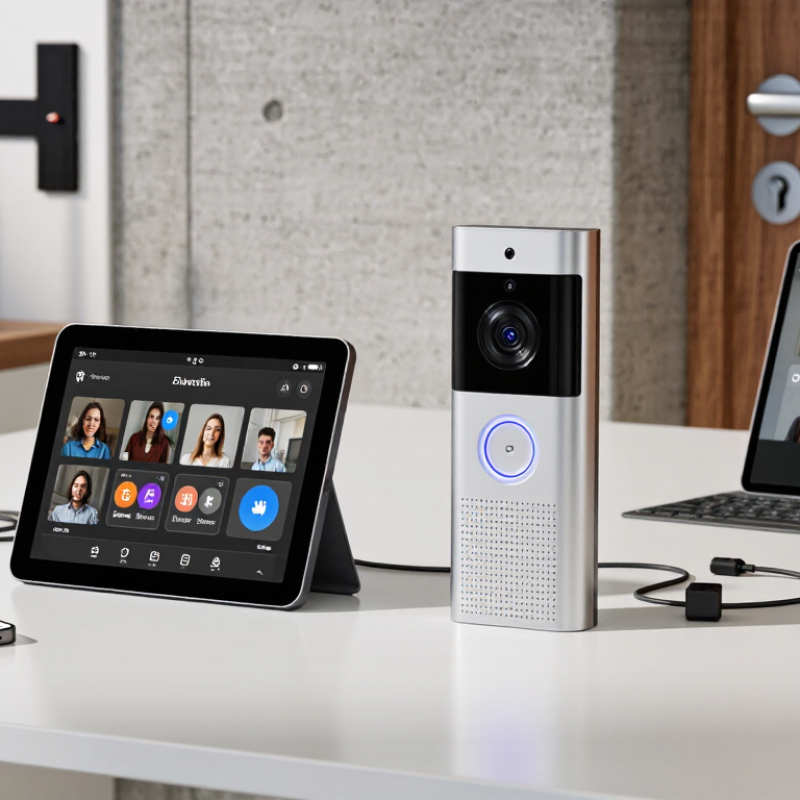
| App-connected WiFi video doorbell | Usually mounts at an entrance and connects to a home WiFi network; power may come from a rechargeable battery or compatible wired supply. | Many models use 2.4 GHz WiFi; band and router requirements vary by model. Reliable coverage at the doorway is important. | Check for encrypted app connections, supported account protections such as multi-factor authentication, and clear settings for cloud or local video storage. | Confirm the exact power-input rating, included chime compatibility, app availability, and radio approvals for the destination country. | Homes seeking app-based visitor alerts and a relatively simple retrofit. |
| Matched WiFi outdoor station and indoor monitor kit | Typically pairs an entrance station with one or more indoor monitors. Installation may require a power supply and, for some kits, wiring between components. | Check whether the outdoor station, indoor monitor, or both connect to WiFi. Confirm supported frequency bands and whether internet access is required for core functions. | Review wireless encryption support, software-update policy, user-access controls, and whether calls can remain local if internet service is interrupted. | Verify mains or low-voltage input requirements, plug type, radio-region approval, and any regional restrictions on cloud services. | Households that prefer a dedicated indoor screen as well as mobile notifications. |
| SIP-capable WiFi IP intercom | Connects to a local network and may integrate with compatible indoor stations, phones, or a private-branch exchange. Setup can require network configuration. | Confirm that the device supports the required SIP version, codecs, and network configuration. SIP support alone does not guarantee interoperability with every system. | Check for secure signaling such as TLS and encrypted media such as SRTP where supported. Disable unused accounts and change default credentials. | Check supported input voltage, local radio certification, available codecs, and compatibility with the intended SIP server or service in that region. | Multi-unit properties or installations that need integration with an existing IP telephony system. |
| IP intercom connected through a WiFi-to-Ethernet bridge | The intercom uses Ethernet and a separate wireless bridge provides the WiFi link. This can avoid running a long data cable, but both devices need suitable power and placement. | Confirm bridge compatibility, wireless band, signal quality, and whether the network allows the device-to-device traffic the intercom needs. | Secure both the bridge and intercom. Use modern WiFi protection such as WPA2-AES or WPA3 when supported; avoid open WiFi and obsolete WEP security. | Check the radio approvals and power ratings of both devices. Permitted channels and frequency use can differ by country and regulatory domain. | Sites with a wired-network intercom where new cabling is difficult. |
| Local-network WiFi intercom with optional remote access | Connects to a local WiFi network and may support communication within the property without relying on a cloud account, depending on the design. | Check whether local operation needs internet access, a hub, or a specific router feature. Test coverage and latency at every station location. | Prefer documented encryption, regular firmware updates, strong unique passwords, and an option to limit or disable remote access. | Confirm the product's power rating, permitted radio bands and channels, and whether local app or service support is available in the destination market. | Buyers prioritizing local operation and greater control over remote connectivity. |