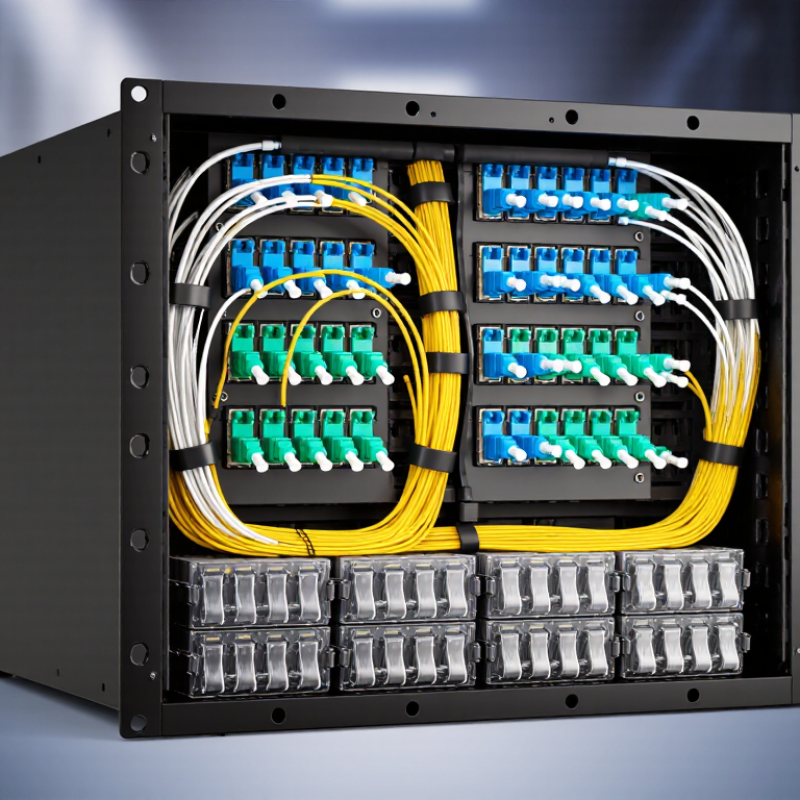
| Port capacity | Up to 24 fiber adapter positions | Provides organized connection points for incoming and outgoing fiber circuits. | The actual fiber count depends on the adapter type and whether simplex or duplex adapters are installed. |
| Supported connector arrangement | Commonly 24 simplex adapters or 12 duplex adapters | Allows the box to support different patching densities and connector configurations. | Compatibility must be checked for connector type, adapter cutout, polarity, and mounting method. |
| Fiber splicing | Fusion splicing or mechanical splicing | Joins the permanent outside-plant or distribution cable fibers to pigtails inside the box. | Fusion splicing generally provides lower and more consistent splice loss than mechanical splicing. |
| Splice tray organization | Dedicated tray or splice-management area | Protects splice sleeves and maintains the minimum bend radius of routed fibers. | Fiber routing should avoid sharp bends, excessive tension, and pressure on splice sleeves. |
| Cable termination | Up to 24 terminated fiber circuits, depending on configuration | Converts loose cable fibers into protected, accessible connectorized links. | Pigtails, fan-out assemblies, or pre-terminated modules may be used for termination. |
| Adapter management | Front-accessible adapter panels | Keeps adapters aligned and makes patch-cord insertion, removal, and inspection easier. | Unused positions can be fitted with protective dust covers to reduce contamination. |
| Cable entry | Top, bottom, rear, or side entry, depending on enclosure design | Routes feeder, distribution, and drop cables into the termination area. | Cable glands, strain-relief clamps, and sealing components help protect the entry point. |
| Cable strain relief | Mechanical clamp or anchoring bracket | Transfers pulling force to the enclosure rather than to splice joints or connectors. | The clamp size must match the cable diameter and construction. |
| Fiber identification | Port labels, fiber numbering, and cable identification tags | Helps technicians trace circuits from the incoming cable to the active equipment or patch panel. | Consistent labeling reduces troubleshooting time and prevents incorrect patching. |
| Patch-cord routing | Front routing with bend-control features | Maintains orderly connections between the termination box and network equipment. | Patch cords should not be tightly coiled or bent below the manufacturer’s specified radius. |
| Optical loss control | Typical connector loss: approximately 0.2–0.5 dB per mated pair; splice loss is often about 0.05–0.2 dB when properly installed | Provides a controlled transition between permanent cable sections and removable patch connections. | Actual values vary with connector cleanliness, alignment, fiber type, and installation quality. |
| Testing access | Visual inspection, optical power meter, and optical time-domain reflectometer testing | Supports link verification, fault location, loss measurement, and maintenance checks. | Connector end faces should be inspected and cleaned before optical testing or reconnection. |
| Mounting locations | Wall-mounted, rack-mounted, cabinet-mounted, or distribution-box installation | Provides a fixed transition point in telecommunications rooms, access networks, buildings, and data facilities. | The enclosure should be installed where cable access, clearance, and environmental conditions are suitable. |
| Environmental protection | Enclosure protection varies by design; indoor and outdoor versions are available | Shields splices and connections from dust, accidental contact, and, where rated, moisture or weather exposure. | The required ingress-protection rating depends on the installation environment and local standards. |
| Primary network role | Splice, terminate, protect, identify, and distribute fiber circuits | Creates an organized interface between backbone, feeder, distribution, and equipment-side fiber cables. | It is a passive fiber-management component and does not amplify, switch, or electrically power the optical signal. |