What Is a Temperature and Humidity Monitor?
A Temp And Humidity Monitor measures two conditions that strongly affect comfort, safety, and product quality. Temperature shows how warm or cold an environment is. Relative humidity shows how much moisture the air contains compared with its maximum capacity. Together, these readings help people understand changing indoor conditions instead of relying on guesswork.
A typical monitor uses electronic sensors, a display, and sometimes an alarm or mobile connection. You might place one beside stored medicine, near a musical instrument, or inside a nursery. In a greenhouse, it can reveal when plants face excessive heat or dry air. In a basement, it may warn about moisture linked to mold growth. Placement matters. A monitor near a window, heater, vent, or damp wall may report conditions that do not represent the whole room.
Small details matter. Check the sensor’s stated accuracy, measurement range, update speed, and data-recording options. Some models need calibration over time. Others show impressive numbers but provide limited evidence of long-term reliability. A reading is useful only when you understand its context. That part is often overlooked.
It is not a perfect tool. Sensor drift can occur. Batteries can weaken. Wireless connections may fail. Regular checks against a trusted reference can improve confidence, especially where stable conditions matter. Used thoughtfully, a temperature and humidity monitor turns invisible environmental changes into practical information. It supports better decisions, but it cannot replace professional inspection when serious damage or health concerns appear.
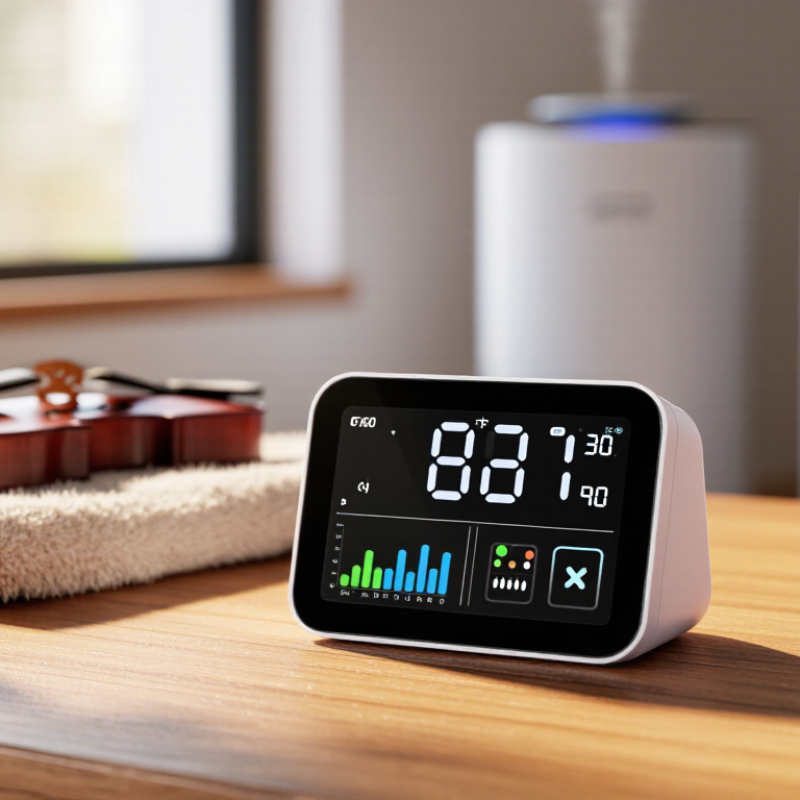
Definition and Core Functions of a Temperature and Humidity Monitor
What Is a Temperature and Humidity Monitor?
Definition and Core Functions of a Temperature and Humidity Monitor
A temperature and humidity monitor is a device that measures air temperature and relative humidity in a specific environment. It usually uses sensors, a screen, memory, and an alarm system. Relative humidity shows how much moisture air holds compared with its maximum capacity. The monitor may also calculate dew point, record changes, and send alerts when readings exceed set limits.
Its value is practical, not decorative. The U.S. Environmental Protection Agency recommends maintaining indoor relative humidity between 30% and 50% for healthier indoor air. Outside this range, moisture can encourage mold, while very dry air may irritate skin and breathing passages. The World Meteorological Organization reported that 2023 was about 1.45°C above the pre-industrial average. This wider climate shift makes local environmental measurement more useful in homes, warehouses, laboratories, and archives.
Accuracy depends on placement, calibration, and maintenance. A sensor beside a heater can produce a misleadingly high reading. A poorly sealed storage room can also hide moisture pockets. In practice, ISO/IEC 17025-calibrated instruments provide stronger measurement confidence, especially when records support quality audits. Yet no monitor is perfect. Sensors drift. Batteries weaken. Human decisions can still be careless. Reviewing trends, checking calibration dates, and comparing unusual readings with a second instrument can expose errors before they damage materials or comfort.
Key Accuracy Standards: ±0.3°C Temperature and ±2% RH Humidity
What Is a Temperature and Humidity Monitor?
Key Accuracy Standards: ±0.3°C Temperature and ±2% RH Humidity
A temperature and humidity monitor measures air temperature and relative humidity continuously. It may use digital sensors, a display, alarms, and data logging. For dependable decisions, look for ±0.3°C temperature accuracy and ±2% RH humidity accuracy. These figures describe allowable measurement error under stated test conditions. They are not permanent guarantees. The ASHRAE Handbook—Fundamentals (2021) identifies 30–60% RH as a common indoor comfort range. A monitor showing 45% RH could therefore represent roughly 43–47% RH within its stated tolerance. That difference matters near storage or comfort limits.
The WMO Guide to Instruments and Methods of Observation, WMO-No. 8 (2021), stresses calibration, sensor placement, and measurement uncertainty. A probe beside a supply vent may read cooler and drier than the room center. Condensation, dust, airflow, and sensor aging can also reduce accuracy. A neat specification can still mislead. In practical inspections, ±0.3°C may apply only within a defined temperature range. Check the technical report, calibration method, and operating limits before trusting the number.
Tips: Place the sensor at breathing height, away from windows and vents. Compare it with a calibrated reference during commissioning. Record readings for several days, not just one convenient moment. Recheck calibration after unusual heat, moisture, or physical movement.
Common Applications in HVAC, Food Storage, Healthcare, and Data Centers
A temperature and humidity monitor measures two conditions that strongly affect comfort, safety, and equipment performance. It uses sensors to track air temperature and moisture levels, then displays or records the readings. Many systems can send alerts when conditions move outside a chosen range. The device seems simple, but sensor placement matters. A monitor near a vent may report a misleading result.
In HVAC systems, monitoring helps technicians identify uneven cooling, excessive moisture, or possible ventilation problems. A reading near a damp wall can reveal condensation before it becomes visible. In food storage, steady records support safer handling of chilled goods, dry ingredients, and packaged products. Staff can notice a refrigerator warming overnight or a storage room becoming unusually humid. Local procedures still determine acceptable limits.
Healthcare spaces use monitoring in medicine storage areas, laboratories, and patient environments. Reliable records can support quality checks, although a monitor does not replace trained staff or validated equipment. Data centers use these devices to watch server-room conditions and reduce risks from heat or condensation. Small changes matter there. I have found that alarms are useful only when someone responds to them. Poor calibration, weak batteries, and blocked sensors can create false confidence. Regular checks against a trusted reference improve reliability, but no monitoring setup is perfect.
Choosing Monitoring Ranges, Calibration, Alerts, and Data-Logging Features
A temperature and humidity monitor measures the conditions around stored goods, equipment, or occupied spaces. A useful device does more than display two numbers. It helps staff notice gradual changes before moisture damage, spoilage, or equipment stress occurs.
Choosing the correct monitoring range matters. A storage room may need a tighter humidity range than a general office. Set limits from product requirements, not personal comfort. Place sensors near vulnerable shelves, doors, or vents. One sensor may miss a cold corner. That mistake is common.
Calibration supports trustworthy readings. Compare the monitor with a certified reference instrument at scheduled intervals. Record the date, method, results, and any adjustment. Calibration checks should also follow drops, battery failures, or unusual readings. A perfect-looking screen proves little. I have seen stable displays hide sensors that slowly drifted.
Alerts should match real risk. Use separate warning and critical limits, with a short delay for temporary door opening. Send alerts to people who can respond, not just a shared inbox. Test the notification path regularly. Silent alerts are useless.
Data logging adds context. Choose a suitable recording interval, enough memory, and protected data export. Clear timestamps and audit trails make investigations easier. Review graphs, not only alarm events. Patterns often reveal a failing seal or poor ventilation. Still, more data does not guarantee better decisions. Someone must interpret it and document the response.