| Hands-Free Calling | Bluetooth Hands-Free Profile support is commonly available; practical operating distance is usually up to approximately 10 m in open space. | Allows calls to be answered and ended from the screen, helping reduce the need to hold a phone while driving. | Call quality depends on microphone placement, cabin noise, phone compatibility, and network coverage. |
| Wireless Audio Streaming | The Advanced Audio Distribution Profile commonly supports stereo music streaming; the basic SBC codec is widely supported. | Streams music, podcasts, and other audio from a compatible phone without using an auxiliary cable. | Audio performance varies with the Bluetooth version, codec support, vehicle speakers, and wireless interference. |
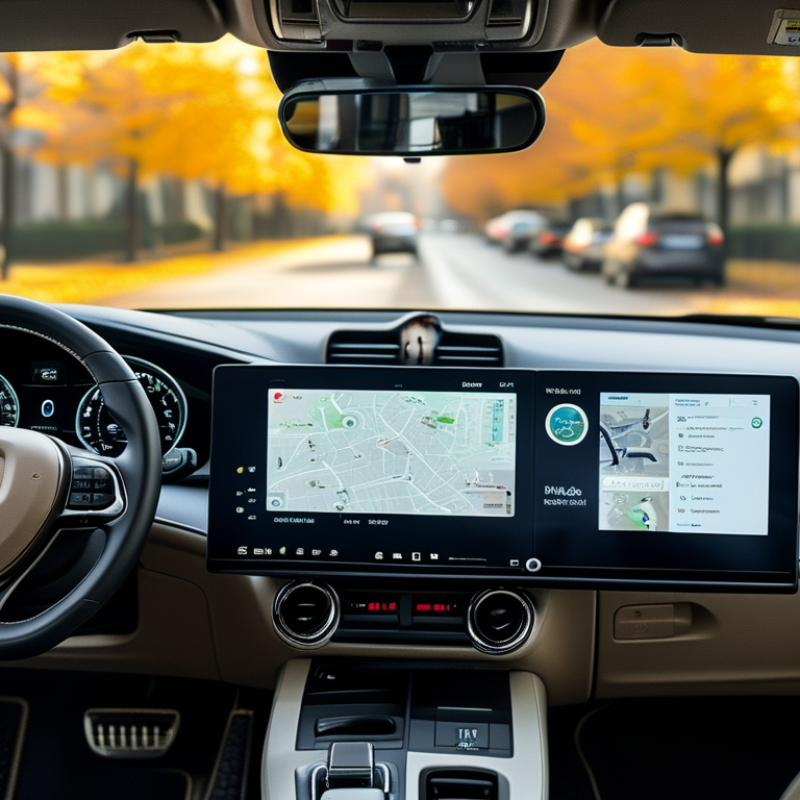
| Navigation Visibility | Portable car screens commonly use displays in the approximately 7–10 inch range. | Provides a larger viewing area than many phones, making route instructions and basic map details easier to see. | The screen should be mounted where it does not block the driver’s view, airbags, or essential vehicle controls. |
| Reduced Phone Handling | Common controls include touch input, physical buttons, voice-control access, or a combination of these options. | Makes frequently used functions easier to access while keeping the phone stored and connected. | Drivers should set destinations and playlists before moving and follow local distracted-driving laws. |
| Vehicle Compatibility | Most systems require a compatible Bluetooth-enabled phone; some also use an FM transmitter, AUX output, USB connection, or built-in speaker. | Can add modern connectivity features to vehicles that do not have a factory touchscreen. | Check the vehicle’s available audio input, dashboard space, power outlet, and phone operating-system compatibility before purchase. |
| Installation Flexibility | Portable units are generally attached using a dashboard pad, suction mount, or vent mount and powered through a 12 V outlet or USB connection. | Usually avoids permanent dashboard modification and can be transferred between vehicles. | Cable routing should be secured so it does not interfere with steering, pedals, gear controls, or visibility. |
| Connection Convenience | Bluetooth pairing normally requires an initial setup; later connections may occur automatically when both devices are active and within range. | Reduces repeated cable plugging and makes daily use more convenient. | Automatic reconnection can be affected by phone settings, multiple paired devices, software updates, or low battery. |
| Power Requirements | Many portable screens are powered continuously through a vehicle USB port or 12 V accessory socket rather than a large internal battery. | Supports extended trips without relying solely on the screen’s battery. | Confirm the adapter’s voltage and current requirements, and unplug the device if the vehicle outlet remains powered when parked. |
| Audio Integration Options | Possible output methods include the screen’s built-in speaker, FM transmission, AUX output, Bluetooth audio, or USB audio, depending on the device. | Offers more than one way to route calls and media through the vehicle. | FM transmission may be affected by local radio congestion, while AUX and wired methods generally require an available cable connection. |
| Upgrade Value | Adds selected connectivity functions without replacing the vehicle’s original dashboard system. | Can be a practical option for older vehicles where a full built-in infotainment replacement is unnecessary or difficult. | Features differ considerably, so compare screen controls, connection methods, mounting design, warranty, and software support. |