Why Choose a Mechanical Gaming Keyboard?
A Mechanical Gaming Keyboard uses individual switches beneath its keys, rather than one shared membrane layer. That design can produce a more distinct response when a key is pressed. In a fast match, a clear bump or click may help players notice each input, especially during repeated movement or ability commands. Some switches feel light and smooth; others offer tactile feedback or an audible click. The right choice depends on your hands, games, and tolerance for noise. Small detail, real difference. A quiet linear switch may suit a shared room, while a clicky model can distract people nearby. Key rollover and polling rate also matter, but neither guarantees better play by itself.
Mechanical boards can also offer replaceable keycaps, programmable controls, and layouts suited to different desk setups. Features vary by model, so check the specifications rather than assuming every board includes them. Yet the benefits are not automatic. Heavier designs, loud switches, high prices, and unfamiliar layouts can make daily use less comfortable. A new keyboard may even slow typing until muscle memory catches up. Easy to overlook. Before buying, compare switch type, layout, connectivity, warranty, and return policy. If possible, test a few switches in person, since product descriptions cannot fully convey sound or feel. Long-term user reviews may reveal wear or software issues, though individual experiences vary. Choose for your actual habits, not tournament claims alone. Mechanical keyboards are tools, not shortcuts. The best upgrade is often the one that feels dependable after hours, not the one with the brightest lighting. Sometimes, quieter is smarter.
What Defines a Mechanical Gaming Keyboard?
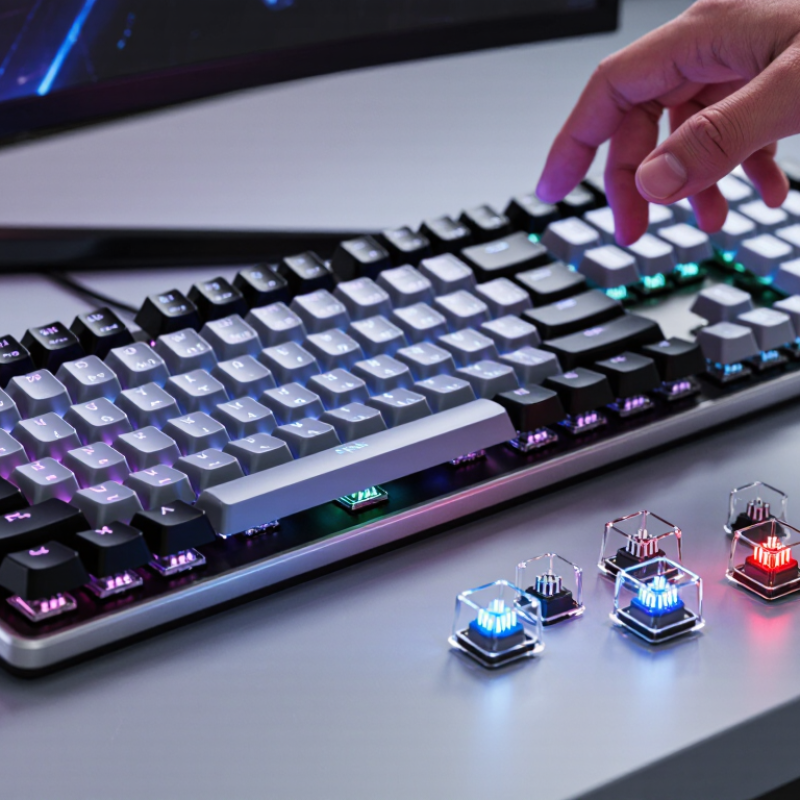
A mechanical gaming keyboard places an individual switch beneath each key, unlike a membrane board that relies on a shared flexible layer. Within a switch, a stem moves against a spring and closes electrical contacts, sending a signal once it reaches its actuation point. That mechanism defines it. Switches may feel linear and smooth, offer a tactile bump, or add an audible click. The sound is optional.
Key travel and actuation force vary, so two mechanical boards can feel surprisingly different. Some players like lighter presses for repeated actions; others prefer firmer feedback while typing. When possible, test a few switches in person. A specification sheet helps, but it cannot fully describe how a key feels under your fingers. Mechanical does not automatically mean faster or more accurate; practice, settings, and comfort still matter.
Under the keycaps, the switches are mounted to a circuit board that records each press. Many gaming models also offer features such as N-key rollover, which can register several simultaneous inputs, though implementation varies. Build quality depends on more than switch type: stabilizers, case rigidity, and keycap fit affect noise and wobble. After long sessions, even an appealing crisp response can feel tiring. That trade-off is easy to overlook.
How Mechanical Switches Register Keystrokes
A mechanical keyboard registers a press through a separate switch beneath each key. Inside the switch, a stem moves when your finger pushes the keycap down. That motion brings two electrical contacts together, completing a circuit. The keyboard’s controller detects the change and records a keystroke. Small movement, clear signal.
The point where the contacts connect is called the actuation point. It can sit above the key’s physical stopping point, so a press may register before the keycap reaches the bottom. The controller also checks for contact bounce, a brief series of tiny electrical changes caused by the moving parts. This filtering helps prevent one press from appearing as several. It happens quickly, but it is not magic.
Switch designs change how that movement feels. A linear switch moves smoothly, while a tactile switch has a small bump near actuation. A click-style switch adds an audible snap. Those sensations can help some typists notice a press, though they do not guarantee better speed or accuracy. It is easy to focus on the switch alone. Keycap shape, typing force, and the keyboard’s settings also affect the experience. The actuation point may sound precise on paper, yet finding a comfortable feel can take a little trial and error.
Why Choose a Mechanical Gaming Keyboard? — How Mechanical Switches Register Keystrokes
| Switch Type | How the Keystroke Is Registered | Typical Actuation Force | Typical Actuation Point | Key Feel and Sound | Common Use Case |
| Linear mechanical | A stem moves downward and closes electrical contacts at the actuation point. There is no built-in tactile bump or click mechanism. | About 40–60 gf | About 1.5–2.2 mm from the top of the key press | Smooth, consistent movement; sound depends on the switch, keycap, and keyboard construction. | Gaming or other tasks where a smooth key press is preferred. |
| Tactile mechanical | The moving stem passes a tactile mechanism, while the switch’s electrical contacts close at the actuation point. | About 45–65 gf | About 1.5–2.2 mm | A noticeable bump provides feedback; it does not necessarily produce a distinct click. | Typing and mixed use when physical feedback is useful. |
| Clicky mechanical | A moving stem operates a click mechanism and closes electrical contacts as the key reaches its actuation point. | About 50–70 gf | About 1.5–2.2 mm | Usually offers a tactile bump and an audible click; sound level varies by design and keyboard. | Users who want clear audible and tactile feedback, especially where keyboard noise is acceptable. |
| Optical mechanical | On designs using optical detection, the moving stem interrupts or changes a light path; a sensor detects the change and sends a key signal. | Varies by design; commonly around 35–60 gf | Varies by design; commonly around 1.0–2.0 mm | May feel linear, tactile, or clicky depending on the switch design. | Users interested in optical sensing; exact feel and behavior depend on the keyboard and switch design. |
| What happens after actuation? | The keyboard’s controller detects the switch signal, applies debounce processing to filter brief contact changes, and reports the key state to the connected device. | Not applicable | Not applicable | Debounce settings and signal processing vary among keyboards. | Helps explain why a physical switch press becomes a registered key input. |
Reading the figures: gf means gram-force. Measurements are approximate ranges, not universal specifications: actuation force and travel differ between switch designs. Actuation point is where the keyboard detects a press; total key travel continues beyond that point on many switches.
Key Advantages for Gaming and Everyday Use
Why Choose a Mechanical Gaming Keyboard?
A mechanical keyboard uses individual switches beneath its keys, giving each press a distinct feel. During a game, that feedback can help you notice whether a key registered without staring at the screen. Some switches reset quickly, which may suit repeated movement or ability inputs. The benefit depends on the switch and the player, though; no keyboard can compensate for poor timing or unstable performance. That matters.
Many models also support features such as key rollover, allowing several keys to register together. This can help when you move diagonally while pressing a modifier or shortcut. For everyday use, the same clear feedback can make long typing sessions feel more controlled, especially when a key’s travel is predictable. Some people find it tiring at first. A lighter switch may feel easier, while a heavier one can require more effort.
Durability is another practical advantage: individual switches are often designed for many repeated presses, though actual lifespan varies with use and maintenance. Keycaps can collect dust, and louder switches may bother people nearby. Not always. If you share a room, consider sound and desk space before choosing. A mechanical keyboard is useful when its feel, layout, and noise level fit your routine, not simply because it is made for gaming.
Why Choose a Mechanical Gaming Keyboard?
Typical rated switch life, in millions of keystrokes
Mechanical switches are often rated for more keystrokes than membrane switches, which can mean longer service life for frequent gaming and everyday typing. Actual ratings vary by switch and keyboard.
How to Choose the Right Switch Type
A switch changes how a key feels, sounds, and responds; “mechanical” alone does not tell you which type fits. Linear switches travel smoothly, with no bump. Tactile switches add a small resistance point you can feel beneath your finger. Clicky switches add an audible click. That sound can be satisfying, but it may distract people nearby.
Use measurements, not just labels. RTINGS’ keyboard testing methodology records actuation force, pre-travel, and latency as separate metrics. Those details help explain why two switches described as “fast” may feel different. Light linear switches are often specified around 45 gram-force, while heavier options need more pressure; check the switch’s published specification, since the exact figure varies. For rapid repeated inputs, consider reset behavior and key travel too. A low actuation point is not automatically better.
Try a few keys if you can. Press gently, then deliberately, and notice whether your fingers tire or accidental presses increase. Tactile feedback may help you sense each press, but some users prefer a smooth stroke. Clicky is loud. In shared rooms, that matters. ISO 9241-410 provides ergonomic guidance for physical input devices, but it cannot choose a switch for your hand or play style. Personal testing still counts, and my own preference can change after a long session.
Features and Trade-Offs to Consider
A mechanical gaming keyboard uses individual switches beneath each key, giving many players a distinct bump or click. That feedback can make repeated inputs feel easier to track, especially during fast movement or precise menu navigation. Switch choice matters: linear switches move smoothly, while tactile switches provide a noticeable bump. Clicky switches are louder. Very loud, sometimes. RTINGS’ keyboard testing methodology measures both polling rate and latency. At 1,000 Hz, a keyboard checks for input every millisecond, but that figure alone does not represent total screen response time. A fast polling rate is useful, not magic.
The trade-offs become clear at a shared desk. Mechanical boards can produce sharp key noise, and some switches are tiring during long sessions. A quieter switch or desk mat may help, though neither makes every keyboard silent. Keycaps and switches can also collect dust; removing them for cleaning takes time. Price is another factor, especially for boards with hot-swappable switches or extra controls. Those features are convenient, but not essential. Before buying, check layout, switch feel, wired or wireless connection, and whether the board supports anti-ghosting for simultaneous key presses. Specifications rarely tell the whole story. If possible, try a sample switch; a familiar sound can feel irritating after an hour.